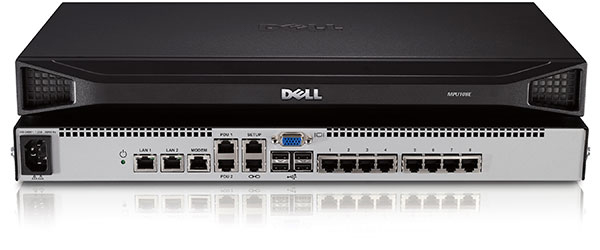
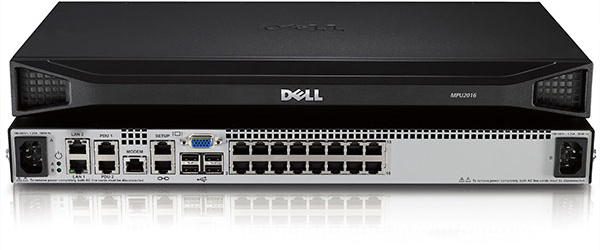
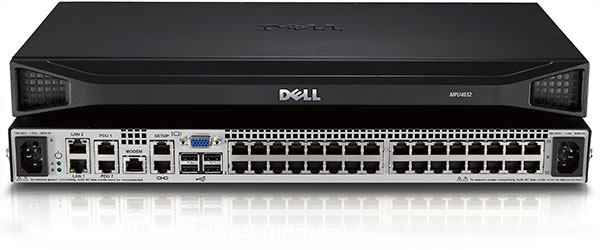
The Dell DMPU2 KVM Remote Console Switch is designed to meet the evolving demands of today’s IT environments with advanced security, enhanced resolution, and seamless integration.
Achieve secure remote access to your entire server infrastructure from any location and reduce the need for onsite visits. The Dell DMPU2 KVM Remote Console Switch provides IT administrators with an efficient solution for updating and troubleshooting servers across multiple locations. By consolidating tools and providing a unified view, it streamlines server management, enhances security, and helps limited IT staff stay effective, no matter where systems are deployed.
Advanced Security
Protect your systems with Secure Boot, Vertiv-signed keys, and TLSv1.3 allowing only verified firmware and software to operate.
Meet strict security requirements with FIPS 140-2 compliance, making it ideal for high security environments.
Supports TACACS+, RADIUS, and LDAP authentication protocols.
Support of an HTML5 Viewer for a more secure and Java-free KVM access.
Enhanced security and performance with an updated kernel for comprehensive system protection.
Enhanced Resolution
Experience high-quality visuals with support for video resolutions up to 1920 x 1080 with 24-bit color.
Perform detailed tasks such as system performance monitoring and issue troubleshooting with precise visual clarity.
Scalable Configurations
Choose from multiple configurations that include 8-port, 16-port, and 32-port models to meet your current needs.
Adapt to changing business demands with scalable configurations, that provide long-term investment protection.
Digital KVM Features and Benefits
No onsite visits: Save time and money while minimizing travel through remote system management.
Efficient troubleshooting: Quickly diagnose and resolve issues to minimize downtime.
Remote firmware updates: Easily update firmware without physical access.
Consolidated view: Manage all servers from a single interface.
Streamlined staff training: Train your team on a single, unified solution for all infrastructure needs to reduce complexity and training time.
User permissions: Assign different user roles and permissions for enhanced security.
Remote UEFI and BIOS access: Remotely access and configure UEFI and BIOS settings to perform critical system updates and troubleshoot hardware issues.
Virtual media: Simplifies OS deployments, patch deployments and new application installations.
Smart card/CAC reader support: Provides local support for smart card/CAC readers.
Local hot key support: A faster way to navigate and perform tasks locally.
Serial management: Serial modules support SSH connections to targets.
Local and remote browser interface: Easy setup and use.
RESTful API: For automation and 3rd party management tools.
Compact design: When paired with Dell’s DKMMLED185, it fits within a single rack unit (1U). DRMK-77 bracket required.